
Module 6 Lesson 1b: Practicing With Your Mic, Mic Cord and Mic Stand
Video 1: Microphone Fundamentals (4 mins)
Introduction
How to Hold a Microphone
Hand Position Examples & Sound Demonstrations
45-degree angle positioning
Distance adjustments for volume
Finding your "sweet spot"
Video 2: Understanding Mic Stands and Cords (6 mins)
Types of stands (Straight vs Boom)
Anatomy of a mic stand
Components breakdown (clip, pole, clutch, base)
Cord basics and handling
Video 3: Performance Techniques (5-7 mins)
Adjusting height and angle
Incorporating stand into performance
Taking the mic off the stand
Managing the cord while performing
Advanced techniques and demonstrations
VIDEO ONE: (4 min)
Microphone Fundamentals (Transcript)
In the last lesson, you learned how essential your microphone is to your performance—the different kinds available, how they work, and how to choose one that fits your voice. Plus, you learned a few tips about navigating the buying process. So, congratulations! Now that you’ve got a microphone in your hands, it’s time to make it a part of you, a true extension of your voice. In this lesson, we’ll explore how to hold your microphone to get the best possible sound, the art of mastering a mic stand, and how to handle a mic cord without looking like you’re in a wrestling match.
HOW TO HOLD A MICROPHONE

How you hold your microphone makes a world of difference in your performance. It’s not just about comfort or style; it directly influences the sounds you produce. For the frequencies of your microphone to be as true to your voice as possible, you need to hold the microphone by its handle.
Now, that might sound kind of obvious. But if you hold your mic by the grid like some artists do with all or part of your hand, you’ll end up with a thinner sound with more high-end frequencies.
There’s a fascinating, in-depth article on DPAmicrophones.com that discusses the sounds created by holding a microphone in different hand positions. Here’s a slide from the article showing the frequency response when a microphone is held in five different ways.
In the DPA study, three participants talked into a microphone. Each switched the mic from their left hand to their right. Then, they measured the frequency response and averaged the outcomes, which is the red curve you see on the graph.
This straight line represents undisturbed frequency response, the holy grail for singers when it comes to microphones. Remember, your microphone is an extension of your voice. When you have an undisturbed frequency response, you can rest assured that the sound you’ve worked so hard to create—your vocal color and timbre, won’t change because of how you’re holding your mic.
Let’s listen to what these hand positions sound like. In these examples, it’s a voice talking, not singing, but you can clearly hear the difference these hand positions make.
[PLAYS THE SOUND CLOUD RECORDINGS AND CALL-OUT EACH HAND POSITION VISUALLY]
Here’s what it sounds like when you hold your mic by the handle, either in the middle or closer to the grid.
[PLAYS FIRST TWO HAND POSITIONS]
Next is what it sounds like when you position your hand over the grid, with a small section of the mic peeking out the top.
[PLAYS THIRD HAND POSITION]
Now, here’s the hand partially on the handle, partially on the grid, with the thumb over the grid.
[PLAYS FOURTH HAND POSITION]
Lastly, here’s the hand completely covering the grid with a small cup-like space at the top of the hand.
Fascinating, right? Who knew? Now you do!
MIC DIRECTION & PROXIMITY
The hand isn’t the only thing that influences the sound of your mic. The position of your head and mouth do, too.
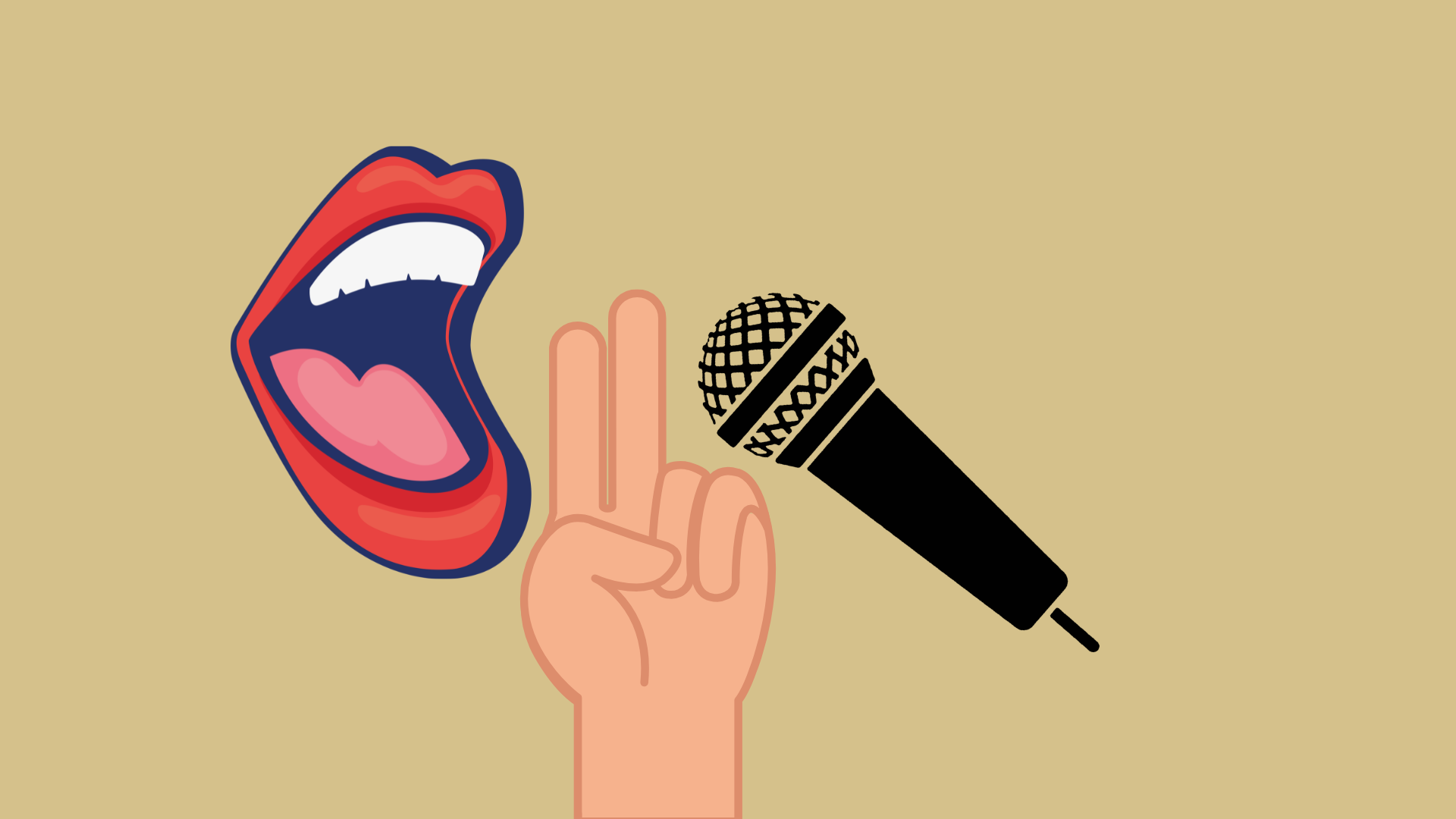
As a starting position, hold the mic at a 45-degree angle about two finger widths away from your mouth, like this:
When you sing louder, pull the microphone away from your mouth a little bit. When you sing softer, bring it closer.
Now, every mic and every voice is different. You need to experiment to see how the sound quality changes when you shift the position of your microphone. Usually, the color brightens, and the tone becomes thinner the farther away it is from your mouth. When you bring it closer, the sound is warmer, and the bass is more present. This is called the proximity effect. There’s a sweet spot where your mic is far enough away from your mouth that you’re not over-driving it and creating distortion. Yet, it’s close enough to have a rich, warm sound that most approximates the frequencies that are actually coming out of your mouth.
Practice with your microphone to find the sweet spot where you can hear the color and volume that works for your voice and the music you’re making.
OK. Let’s move on to mic stands.-
VIDEO TWO: (6 min)
Understanding Mic Stands and Mic Cords (Transcript)
All About Mic Stands: A Guide for Singers
Your microphone is central to your performance, but there’s another piece of gear that often doesn’t get the attention it deserves - the mic stand. It’s not just there to hold your microphone; it’s a prop that you can use to add visual interest and emotion to your performances. You can lean on it, hold it close or push it away, roll it, slide with it - in a way, it’s like a dance partner. And once you’ve learned how to lead, it’ll follow you anywhere.
Straight or Boom?
There are two types of stands: straight or boom. Straight stands are typically the best choice if you don’t play an instrument. But if you do play an instrument, boom stands are an option because they provide more space around the pole. However, some musicians, like my husband John, prefer a straight stand, even if they’re playing an instrument like a guitar. He feels more in control of his proximity to the mic, plus he finds it easier to move the stand if he needs to. Experiment to find out which type of stand works best for you.
Anatomy of a Mic Stand
Whether it’s a straight or boom stand, understanding a mic stand’s anatomy is key to unlocking its potential. So, let’s break it down from top to bottom:
The Clip:
The mic clip securely holds your microphone. It’s designed for easy removal and reinsertion of the mic during performances, but it also ensures the mic stays put when you need it to.
Two common types are the “butterfly” clip, typically made of plastic or rubber, and the “break-resistant” clip, which is more durable. I recommend the break-resistant clip. When I asked my sound engineer friends which they thought was best — they agreed because of its durability.
The Pole:
The pole is your primary adjustment point on your stand. It lets you set the height of your mic, whether you’re standing or sitting.
Poles are made from steel, aluminum, or carbon fiber. Aluminum is a good choice due to its lightness and strength. Carbon fiber is another good option, but it’s a bit pricier.
The Height Clutch:
The height clutch is the key to adjusting and setting your mic stand’s height. It’s a tightening mechanism usually located in the middle of the stand. You can raise or lower the pole by loosening it and then tighten to secure it again.
The most common type of height clutch is a metal ring. To loosen it, you twist it to the left. To tighten it, twist to the right. A well-functioning height clutch should be easy to loosen and tighten, and it should keep the pole from slipping once you’ve set the height. If the clutch has been over-tightened, loosening it can become an epic struggle. I can say from experience that it’s no fun to step out on stage and fight with a malfunctioning mic stand before you’ve even sung a note.
That said, if you find yourself in a wrestling match with the height clutch and you’re losing, never push down on the pole to adjust the stand’s height. You’ll strip the threads on the ring — which is probably why the clutch was overtightened — it’s been abused by too many musicians who adjusted the height incorrectly. The sound tech or roadie has had to over-tighten it because the pole keeps slipping, and there you are, fighting with a mic clutch at the start of your performance.
So, if you find yourself on stage in front of an audience and you need to adjust the height of your mic stand but can’t loosen the height clutch, just remove the mic from the stand instead of struggling with it. Then, try to get a replacement stand as soon as possible from the sound company.
The Base:
The mic stand’s base provides stability. It can be a round compact base, a triangular base, or a tripod. I recommend using the round base because it’s a much better dance partner; it’s easier to move and less likely to cause tripping. Unlike a tripod stand, it doesn’t feel clunky when you tip it on its side. You can roll it, too.
Each of these components, the clip, pole, height clutch, and base, plays a critical role in ensuring your performance goes smoothly. Familiarizing yourself with them not only boosts your on-stage confidence it also allows you to seamlessly incorporate the mic stand into your performance.
Before we take a look at how to practice with your mic and mic stand, there’s just one more piece of gear I’d like to talk about: your mic cord.
MIC CORDS
Mic cords — also called XLR cables — consist of an outer cover, a protective shield, and three internal wires. They have connectors called pins at each end that transmit sound from your microphone to the sound system. If the pin is damaged or poorly made, it can intermittently cut out, sound staticky, or create distortion. In the worst-case scenario, it can fail completely and make no sound at all. So, don’t buy the cheap ones. Invest in a high-quality XLR cable with reliable connectors, and you might never have to buy another one. I’ve had mine for decades!
So, now that you’re familiar with your microphone, mic stand, and mic cords, let’s move on to how to practice with them.
VIDEO THREE:
Tips for Practicing with Your Mic, Mic Stand, and Mic Cord
Practicing With Your Mic Clip
Practicing with your mic clip is all about avoiding unwanted noise when you take the mic out of the clip or put it back in.
In this video, produced by Sweetwater Sound, Marcus Scott, the former lead singer of Tower of Power, provides tips on handling a microphone and mic stand. He did such a fantastic job that I thought I’d share some of it with you. I’ll leave the YouTube link in the Go Deeper section if you’d like to watch the whole thing.
In the first section of the video, he demonstrates how to confidently remove the microphone from the mic clip and then replace it. Let’s take a look.
[WATCH VIDEO]
Notice how he has one hand on the mic stand pole right underneath the clip? That is so essential for stabilizing the mic stand so you can gently lift or twist the microphone out of the clip. I love how he shows the wrong way to do it first. It looks and sounds terrible!
Practice Tip #1: Remove & Replace Your Microphone In The Mic Clip
So, the first step is to practice removing and replacing your microphone in the clip until the process feels smooth and comfortable.
In the Sweetwater video, Marcus makes another great point right after he takes the mic out of the clip. Let’s watch.
So, he takes the mic out of the clip, and then, what does he do next? He moves the mic stand behind him. This is so crucial! As he says, “you’re not doing a duet with the mic stand!” Leaving the mic stand in front of you puts the spotlight on it rather than on you. So don’t be upstaged by a microphone stand.
Practice Tip #2: Move The Mic Stand Behind You
The trick is to move your stand behind you while maintaining audience engagement. Watch how Marcus does this: he keeps his body towards the audience, ensuring their focus stays on him and his performance, not on the stand being moved. If he were to look at the stand or turn his back to the audience, their attention would shift to the stand. It’s a small thing, but small things matter, and they add up.
Practice moving the stand behind you when you remove the mic from the clip and bringing it back in front when you’re ready to replace it.
Practicing With Your Mic Cord: The Art of Cord-Wrangling
Now for the mic cord.
I prefer to sing on a cordless mic. Not having to wrangle a mic cord is so freeing! But sometimes, you just have to be tethered to a mic cable. For instance, you might not own a wireless. Or maybe you’re working with someone else’s gear or are in a venue where the signal for a wireless doesn’t work very well. Perhaps you’re on a tiny stage where mic cables make more sense because you won’t be moving around much. Whatever the situation, you’ll want to have practiced working with a mic cord so it feels and looks natural.
There are basically three things to practice:
Taking the mic off the stand and holding the cord in your hand while standing in one spot.
Moving the cord out of your way so you can walk.
And then, walking with a mic cord.
Let’s start by taking the mic off the stand and holding the cord in your hand.
With one hand on the pole and the other on the microphone, gently twist or lift the mic out of the clip. While maintaining eye contact with your imaginary audience, position the mic stand behind you.
Typically, you’ll sing into the mic with the cable hanging freely. However, you also have the option to hold the cable in your hand. This has two advantages: it varies what the audience sees and gives your free hand something to do.
Now that the mic and cable are free from the stand, gently but firmly grip the mic cord with your free hand. Hold it between your fingers and thumb, with your palm facing up or down.
Another reason to practice handling the mic cable is to ensure it doesn’t interfere with your movement, especially when walking across the stage. It’s crucial to prevent any stress on the cable end that connects to the mic, as this could damage it. Holding the mic and wrapping the cord around your wrist or arm can cause the cable to wear out faster. Likewise, flicking the cord off the ground with one hand can also stress the cable. However, if you hold the cable with your free hand, you can easily move it out of the way, reducing wear and tear on the connector like this.
Now that you’ve got the cable out of your way, practice walking with it, keeping it out of your way as you traverse your imaginary stage.
Practice all three of these moves without singing first. Then, practice while performing a song that you can sing in your sleep so you can focus on what you’re doing with your mic and mic cable.
Step One: Adjusting The Height and Angle
Practicing with a mic stand can make a world of difference to your on-stage confidence.
Start by getting comfortable with adjusting the height and angle of your microphone. Raise or lower your mic stand’s height, then tilt your microphone upwards towards your mouth at a 45-degree angle.
Remember when we discussed the correct way to adjust the height of a microphone stand? It’s worth repeating here: Don’t pull or push directly on the stand’s pole to avoid damaging the height clutch.
The correct way to adjust the height of your mic stand is to grip the upper section of the pole with your non-dominant hand, like this, and then loosen the height clutch by turning it to the left. If you’re directionally challenged like me, here’s a handy tip a drummer friend told me when I was learning how to put drum stands together: left is loose, right is tight.
So, loosen the height clutch by turning it to the left, then adjust the pole height. You need to have it low enough so that when your microphone is in the mic clip at a 45-degree angle, it’s not too far above or below your mouth. You shouldn’t need to lean down or lift your chin to reach the sweet spot you learned about earlier in this lesson.
Step 2: Incorporate the Mic Stand Into Your Performance
Now that you’re comfortable with your mic and stand setup let’s explore how to incorporate the stand into your performance. You can use your stand to infuse your performance with character and self-expression. Let’s dive into some techniques you can practice to achieve this.
With the microphone still in the mic clip, you can:
Hold the microphone with both hands. Holding the microphone with both hands creates an image of intensity and focus. This closed body position indicates a more profound or intense emotional state, engaging your audience more deeply.
Lean into your stand while singing: This technique evokes a sense of effort and passion, showcasing the power and emotion in your vocals. It also enhances visual interest by altering the level and angle of your body.
Use it to emphasize a stop or punctuate rhythm: The mic stand can become a tool for emphasizing musical moments. A stomp or a sudden release of the stand can punctuate a strong beat or underscore a pause in your song.
Take the mic out of the clip and stand to the side with one hand on your mic stand: This opens up your body language and allows for more movement. It also signals to your audience that you’re comfortable and in command of the stage.
Drag the mic stand: Dragging the mic stand across the stage can create a strong visual moment. It can indicate a shift in the song’s mood or your character’s journey.
Pick it up and carry it: This action elevates the energy on stage. You can use it to mark a climax in the song or to engage with different areas or people on the stage.
These are just techniques to get you started. The key is to find what feels natural and authentic to you and your performance style. And, of course, different styles of music call for different kinds of interactions with your mic stand. Experiment during your practice sessions and see which techniques resonate with you. Remember, every element of your performance should seem effortless to the audience, so practice until the mic stand feels like a natural extension of you.
GO DEEPER LINKS:
VIDEO ONE: Microphone Fundamentals
Proper Hand Placement On A Vocal Mic by DPA Microphones